
Download Photo Cartoon Software – free HD cartoon converter, photo drawing tool
Overview
PhotoCartoon.net is a web‑based multimedia application that turns ordinary photographs into high‑definition cartoons, sketches, oil‑paintings, and a wide variety of artistic styles. Unlike many paid desktop tools, Photo Cartoon Software runs entirely in the browser, which means you can start creating instantly from any device with an internet connection. The platform houses more than 100 distinct effects, ranging from classic hand‑drawn pencil sketches to bold comic‑book style cartoons, hyper‑realistic digital paintings, and minimalist line art.
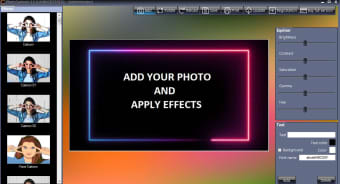
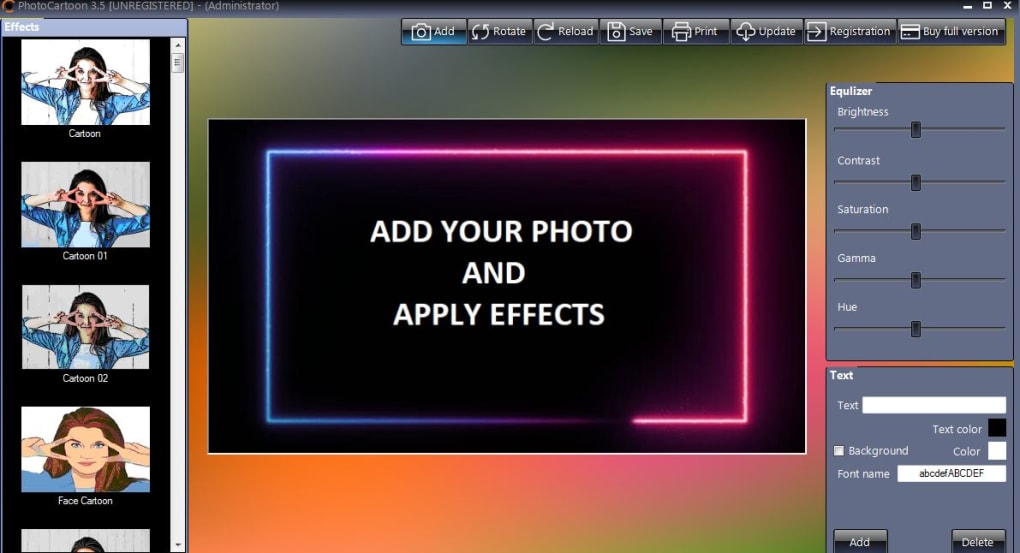
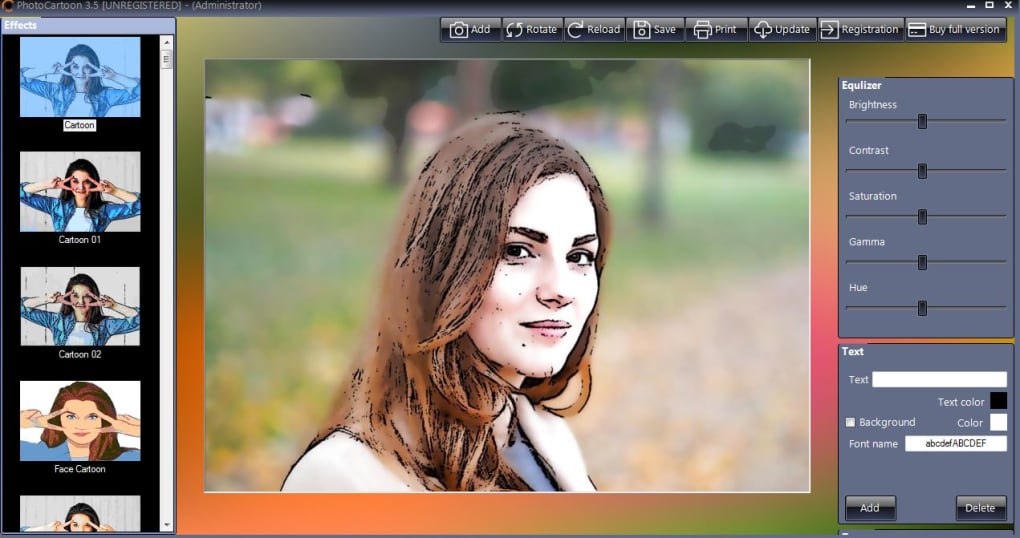
Because the service processes images on the client side, your original photo’s resolution remains untouched – no hidden compression or loss of detail when you download the final result. The interface is clean and intuitive: a central canvas displays your uploaded image, while a vertical toolbar on the left presents every effect in a thumbnail view. Users with no prior photo‑editing experience can simply click a filter, watch the transformation happen in real time, and download the artwork with a single button.
The tool also includes optional text overlay, frame addition, and layer‑based editing, allowing you to personalize each creation further. Whether you want a quirky avatar for social media, a memorable gift for a friend, or a stylized illustration for a marketing campaign, Photo Cartoon Software delivers professional‑grade results without the need for registration, subscription fees, or bulky installations.
Key Features & Compatibility
- More than 100 artistic effects, including cartoon, sketch, oil‑painting, watercolor, and caricature styles.
- High‑resolution output – the original image resolution is preserved, ensuring crisp, print‑ready results.
- Layer‑based editing: combine multiple effects, adjust opacity, and reorder layers for custom looks.
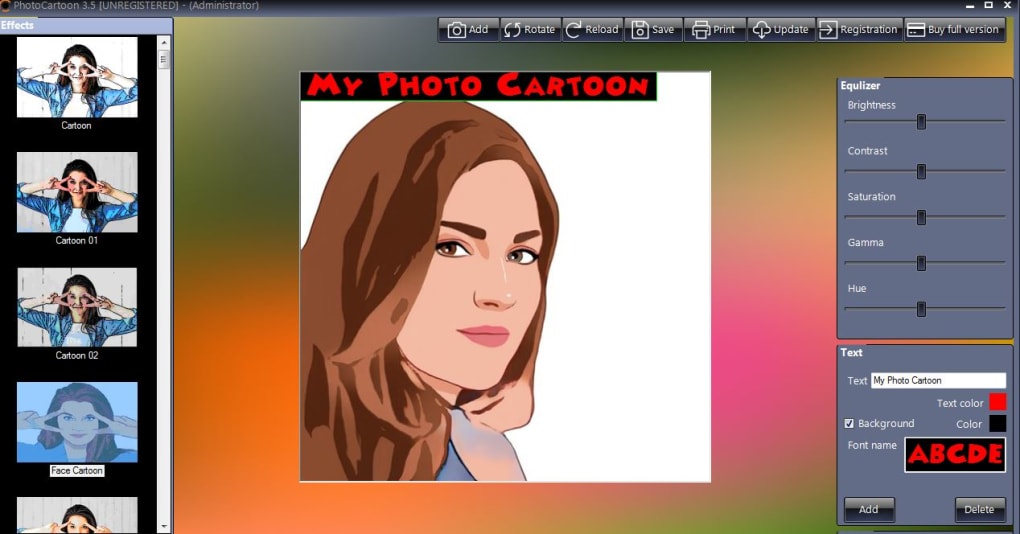
- Built‑in text tool for captions, dates, or custom messages with a variety of fonts and colors.
- Photo frames and borders that complement each artistic style.
- One‑click “Cartoonize” shortcut for instant conversion without navigating menus.
- Drag‑and‑drop upload or direct file selection from local storage.
- Secure, SSL‑encrypted connection to protect your photos during upload and processing.
- No registration, no ads, and completely free of charge.
- Cross‑platform compatibility: works on any modern browser (Chrome, Firefox, Edge, Safari) across Windows, macOS, Linux, as well as mobile browsers on Android and iOS.
- Responsive design adapts to tablets and smartphones for on‑the‑go editing.
- Automatic save of your last project in the browser’s local storage for quick revisits.
- Export options include PNG and JPEG with customizable quality settings.
- Keyboard shortcuts for faster workflow (e.g., Ctrl+Z for undo, Ctrl+S to save).
- Regular updates adding new effects and performance improvements.
Because PhotoCartoon.net is a cloud‑based service, there is no need to download or install any software. The application runs on HTML5, CSS3, and JavaScript, making it fully compatible with the latest versions of Windows 10/11, macOS Ventura, Linux distributions, and mobile operating systems such as Android 9+ and iOS 13+. All you need is a stable internet connection and a browser that supports WebGL for accelerated rendering. This universal compatibility ensures that whether you’re working from a desktop workstation, a MacBook, an Android tablet, or an iPhone, you will experience the same smooth performance and feature set. The site also respects privacy regulations; uploaded images are processed in memory and are not stored on the server after the session ends, giving you confidence that your personal photos remain private.
Installation, Usage & How It Works
Getting started with Photo Cartoon Software is as simple as navigating to the website and clicking the “Add” button. Once you select a photo from your device, the image appears centered on the canvas, confirming a successful upload. From there, the left‑hand toolbar displays thumbnail previews of every effect.
Hover over a thumbnail to see a live preview; click to apply the effect instantly. If you want to experiment, you can stack multiple effects by clicking additional thumbnails – each new layer is added on top of the previous one, allowing you to blend a sketch outline with a watercolor wash, for example. The opacity slider lets you fine‑tune each layer’s intensity, while the “Undo” button reverts the most recent change.
To add text, select the “Text” icon, type your caption, choose a font, size, and color, then drag the text box to the desired location on the image. Once you’re satisfied with the result, click the “Download” button; the file is saved to your default download folder in the original resolution, ready for sharing on social media, printing, or embedding in documents. For mobile users, the touch‑friendly interface supports pinch‑to‑zoom and swipe gestures, making it easy to navigate effects on smaller screens.
The entire workflow, from upload to download, typically takes under a minute for most images, even on modest hardware, thanks to the efficient client‑side processing engine.
Pros, Cons, FAQ & Final Verdict
Pros
- Completely free with no hidden fees or required registration.
- Preserves original image resolution for high‑quality outputs.
- Over 100 diverse artistic effects to suit any creative need.
- Works on all major operating systems and browsers, including mobile devices.
- Intuitive, drag‑and‑drop interface ideal for beginners and pros alike.
- Layer‑based editing offers deep customization without complexity.
- Secure SSL connection protects user privacy during processing.
- Regular updates introduce new styles and improve performance.
Cons
- Requires an internet connection; offline use is not possible.
- Processing speed may vary on older devices or slow networks.
- Limited to PNG/JPEG export formats; no support for vector files.
- Advanced retouching tools (e.g., brush painting) are not available.
- No built‑in cloud storage; projects are saved locally in the browser.
Frequently Asked Questions
Is Photo Cartoon Software really free?
Yes, the web version of Photo Cartoon Software is completely free. There are no subscription fees, hidden charges, or mandatory registration required to access any of the 100+ effects.
Do I need to create an account to download my cartoon image?
No. After you finish editing, simply click the “Download” button and the processed image is saved directly to your device. No account or email address is needed.
Can I use PhotoCartoon.net on my smartphone?
Absolutely. The platform is built with responsive design and works on Android and iOS browsers. All features, including layer editing and text overlay, are touch‑friendly.
Will my original photo be compressed or lose quality?
No. Photo Cartoon Software processes the image in the browser and retains the original resolution. The downloaded result matches the input file’s dimensions and quality.
Is my data safe while using the service?
Yes. The site uses HTTPS encryption for all data transfers. Uploaded photos are processed in memory and are not stored on the server after the session ends.
Conclusion & Call to Action
Photo Cartoon Software stands out as a versatile, high‑quality, and truly free solution for anyone looking to transform ordinary photos into eye‑catching cartoons, sketches, or digital paintings. Its extensive library of effects, preservation of original resolution, and zero‑registration policy make it especially attractive for casual users, social‑media enthusiasts, and small‑business owners who need quick visual content without a hefty budget. While the reliance on an internet connection may be a drawback for offline scenarios, the speed and convenience of browser‑based editing outweigh this limitation for most modern users. If you’re ready to give your images a fresh, artistic spin, simply visit PhotoCartoon.net, upload your picture, experiment with the dozens of styles, and download the masterpiece in seconds. Start creating today and enjoy the freedom of a powerful cartoon converter that’s always up‑to‑date, secure, and completely free.



.png)



